

Baravibe Casino App
The mobile version of Baravibe provides access to the casino from a smartphone without complicated installation: the page adapts to the screen, while the main features work directly in the browser. On an iPhone, the website can be added to the Home Screen as a separate icon, allowing users to return with a single tap. Browser access is also available on Android. Baravibe Casino combines compact navigation, a personal account and access to entertainment in a familiar mobile environment.
A Mobile Interface That Is Easy to Navigate
In the mobile version of Baravibe Casino, sections open through an adapted menu, while game cards, login buttons and account features adjust to touchscreen controls. Instead of constantly zooming in on the page, users navigate through a vertical content layout: selecting a category, browsing offers and returning to their profile.
The Baravibe Casino mobile website retains the structure of the main platform, so users switching from a computer will not need to search for familiar sections again. With Baravibe, they can access the features they need while travelling, at home or during a short break, using their own device and a stable internet connection.
- A compact menu for switching between sections without unnecessary scrolling.
- Touchscreen controls for selecting games, opening the profile and viewing notifications.
- One account for both the mobile browser and desktop version.
- Access to essential account settings from a vertical screen.
Android: Quick Access Through Your Browser
For Android phones, the simplest option is to open Baravibe Casino in Chrome or another compatible browser. The brand's pages do not provide confirmation of a separate APK, so the Android instructions are based specifically on the browser version.
A shortcut provides a quick route to the website: updates take place on the website itself, while the phone's storage is not occupied by a large installation package. This approach is convenient for anyone who regularly returns to the casino from their smartphone.
iOS: An Icon on Your iPhone Home Screen
For iPhone users, Baravibe Casino provides a separate sequence for adding the website to the Home Screen. It begins by opening the page in the phone's browser. Next, locate the More menu, select Share, expand the additional actions and tap Add to Home Screen. After confirming Add, an icon appears on the screen, providing quick access to the mobile website.
Adding the website to the Home Screen creates a convenient way to access the web version without requiring a separate download from an app store. The menu interface may vary slightly depending on the iOS version and browser, but the underlying idea remains the same: the website is always within reach alongside your familiar icons.
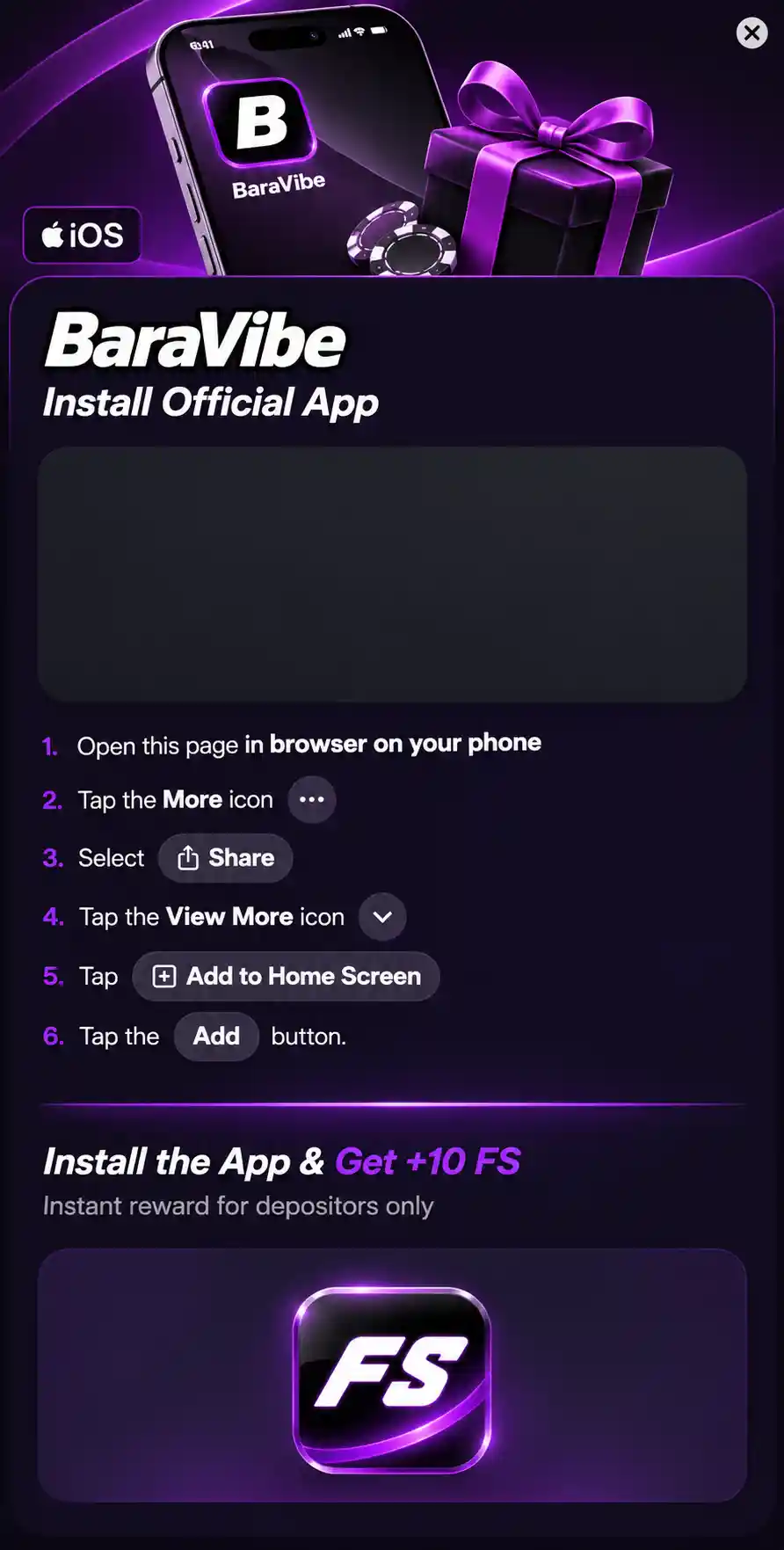
The mobile offer includes an additional 10 FS for adding the website to the Home Screen for users who have made a deposit. Before claiming the spins, it is worth checking the reward's availability, expiry date and terms of use in your account.
How to Get Started With the Mobile Version
A separate account is not required for your phone: your login details remain the same as on your computer. If preferred, you can set up quick access after your first visit.
- Open the official casino website in your Android or iOS browser.
- Go to the mobile menu and locate the login form.
- Sign in using your existing account details or select the registration option.
- On iPhone, select Share and Add to Home Screen; on Android, use the equivalent browser feature where available.
- Return through the newly created icon or a regular browser tab and open the section you need.
What You Can Access From Your Phone
The Baravibe Casino App mobile account allows users to view personal information, access settings and records associated with their account. Through the navigation menu, they can open the games section, check active offers, visit the cashier or prepare an enquiry for customer support. The main advantage of this format is having familiar tools available on a compact screen.
| Mobile Feature | How It Is Used |
|---|---|
| Account Login | Sign in through an adapted login form |
| Category Menu | Reach the required section with just a few taps |
| Personal Details | View account settings and account status |
| Cashier and Offers | Access the relevant pages through the mobile menu |
| Enquiries | Navigate to customer support contact options |
Games in Portrait and Landscape Mode
Browser access to Baravibe Casino covers slots, live tables, bingo and sporting events. Portrait mode is convenient for browsing the catalogue and navigating between sections, while landscape mode may be better suited to certain tables with wider playing areas.
Adjusting screen brightness, display orientation and browser zoom helps create a comfortable viewing experience without changing personal account settings.
Phone and Computer: Different Screens, One Profile
Baravibe Casino focuses on a compact layout: important actions are available through the menu, while content is displayed mainly vertically. At the same time, essential information belongs to the same account, so changing devices does not require a new registration.
| Feature | Smartphone | Computer |
|---|---|---|
| Navigation | Compact touchscreen menu | Wider arrangement of sections |
| Personal Account | Adapted profile pages | The same information on a larger screen |
| Gaming Interface | Adjusts to the display | More space for details |
| Quick Access | Home Screen shortcut | Browser bookmark |
A Browser Instead of a Separate Installer
A Home Screen icon makes the experience similar to launching an app, although technically it remains a shortcut to a web resource. This distinction is useful to remember when encountering terms such as App Download or APK: these do not, by themselves, confirm the existence of a separate application.
To protect your account, Baravibe recommends using a verified website address, a unique password and a screen lock on your phone. These simple habits make mobile access more predictable and convenient.
- Pin the website to your Home Screen for quick access.
- Keep your browser and smartphone operating system updated.
- Use a password manager on your own secure device.
- Choose the screen orientation that best suits a particular game or section.
A Familiar Website in a Pocket-Sized Format
Mobile access through Baravibe Casino App combines a familiar personal account, convenient navigation and the option to add the website to an iPhone Home Screen. On Android, a browser is sufficient, while a shortcut can be created for easier access. Open the platform on your smartphone, choose your preferred way to sign in and use the sections you need wherever it is convenient.
FAQ
Can I display the mobile casino on my television using screen mirroring?
Yes, if your smartphone and television support screen mirroring, the Baravibe Casino mobile website can be displayed on a larger screen. This can be done using AirPlay, Google Cast or other screen mirroring features. Compatibility depends on the device, browser and specific game, while controls usually remain on the phone.
What happens to an active game round if I receive a phone call?
Game behaviour depends on the provider and how interrupted connections are handled. In many slots, the outcome of an accepted bet is determined on the server, so the round may finish even after the browser is temporarily minimised. When returning to Baravibe Casino, it is advisable to check your balance and game history.
Can I use the mobile casino with battery saver mode enabled?
Yes, the browser version can work with battery saver mode enabled on Android or iOS. However, the operating system may reduce performance and restrict background browser activity. For live casino games with video streaming, it is better to maintain a stable connection and sufficient battery charge.
Can I create multiple Baravibe Casino shortcuts for quick access to different sections?
Some mobile browsers allow users to add shortcuts to individual web pages on the Home Screen. For example, you could try pinning the homepage and a particular casino section. However, opening a shortcut may redirect users to the homepage or login page, depending on the session settings.
Will the mobile version still work after I clear my browser cache?
Yes, after clearing the cache, you can reopen Baravibe Casino through your browser or a saved shortcut. You may need to sign in again because the browser can remove data from your current session. Your balance and personal information are stored in your account rather than in your phone's browser cache.
Can I switch between Wi-Fi and mobile data while playing?
Yes, smartphones can switch between Wi-Fi and mobile networks, although a brief change in connection may interrupt data transmission. If this happens during a game round, it is recommended to check its status and betting history once the connection has been restored. For live games at Baravibe Casino, a stable connection is the best option.